Endpoint Security: Top Endpoint Protection & Antivirus Solutions
This guide explains endpoint security, key mistakes to avoid, and how to choose the right protection for your business endpoints. Learn practical steps for safer networks.
Protecting your business from cyber threats is more important than ever. Endpoint security is the foundation of keeping your company’s data and devices safe. In this blog, you’ll learn what endpoint security is, why it’s essential for growing businesses, and how endpoint protection, security solutions, and the right endpoint security solution can make a difference. We’ll also cover key mistakes to avoid, features to look for, and practical steps to strengthen your endpoint protection platform. You’ll discover how antivirus, endpoint detection and response, and a strong security team can help you respond to threats and keep your network secure.
What is endpoint security, and why does it matter?
Endpoint security is the practice of protecting all the devices that connect to your business network, like computers, laptops, and mobile devices. These devices, called endpoints, are often the first targets for hackers and malware. If one device is compromised, it can put your entire network and sensitive data at risk.
A strong endpoint security solution uses a combination of antivirus software, backup protection, and malware prevention techniques to stop threats before they cause harm. This is especially important for businesses that rely on a mix of traditional antivirus and advanced endpoint tools to protect their corporate network. By making endpoint security a priority, you can reduce downtime, avoid costly data breaches, and keep your business running smoothly.
Common endpoint protection platform mistakes to avoid
Many businesses make simple mistakes that leave their endpoints exposed. Here are some of the most common issues and how you can avoid them.
Mistake #1: Relying only on traditional antivirus
Traditional antivirus software is no longer enough to stop modern threats. Cybercriminals use advanced tactics that can bypass basic protection. You need a modern endpoint security solution that includes features like real-time monitoring and automated response.
Mistake #2: Ignoring mobile devices
Mobile devices are just as vulnerable as desktops and laptops. If you don’t secure smartphones and tablets, you create gaps in your network security. Make sure your endpoint protection covers every device that connects to your system.
Mistake #3: Delaying software updates
Outdated endpoint security software can’t defend against the latest threats. Always keep your security tools and operating systems up to date. Regular updates close security holes and improve your overall security posture.
Mistake #4: Not using centralized management
Managing each endpoint separately is time-consuming and increases the risk of mistakes. A management console lets you control all your devices from one place, making it easier to enforce policies and respond to threats quickly.
Mistake #5: Overlooking backup protection
Even the best security solutions can’t stop every attack. Backup protection ensures you can recover your data if something goes wrong. Regular backups are a must-have part of any endpoint security plan.
Mistake #6: Failing to train your security team
Your security team needs to know how to use your endpoint solutions effectively. Provide regular training and resources so they can spot threats and respond quickly.
Key benefits of advanced endpoint security
Choosing the right endpoint security brings many advantages:
Protects all endpoint devices, including laptops and mobile devices, from malware and ransomware.
Simplifies management with a centralized management console for easy updates and monitoring.
Supports backup protection to recover sensitive data after an attack or system failure.
Detects and responds to threats automatically, reducing the workload for your security team.
Helps maintain compliance with industry regulations by securing sensitive data on every device.
Improves your overall security posture and reduces the risk of costly breaches.
How endpoint security software supports business growth
As your business grows, so does the number of devices and users on your corporate network. Each new endpoint increases the risk of a security breach. Endpoint security software helps you manage this risk by providing consistent protection across all devices.
Modern endpoint security tools are designed to scale with your business. They offer features like next-generation antivirus, automated threat detection, and centralized management. This means you can add new devices without sacrificing security. By investing in reliable systems, you can focus on growth while keeping your company’s data safe.
Components of endpoint security: What to look for in a solution
A strong endpoint security solution is made up of several important parts. Here’s what you should look for when choosing protection for your business.
Component #1: Next-generation antivirus
Next-generation antivirus goes beyond basic virus scanning. It uses machine learning and behavior analysis to spot new and unknown threats. This is essential for stopping advanced attacks that traditional tools might miss.
Component #2: Endpoint detection and response
Endpoint detection and response (EDR) tools monitor your devices for suspicious activity. They can automatically respond to threats, isolate infected devices, and alert your security team. EDR is a must-have for businesses facing complex security threats.
Component #3: Backup protection
Backup protection keeps copies of your important files and data. If a device is lost, stolen, or hit by ransomware, you can restore your data quickly. Regular backups are a key part of any endpoint security strategy.
Component #4: Centralized management console
A management console lets you control all your endpoints from one dashboard. You can push updates, enforce security policies, and monitor device health without logging into each device separately.
Component #5: Support for mobile devices
Your endpoint security solution should protect smartphones and tablets as well as desktops and laptops. Look for tools that offer mobile device management and security features.
Component #6: Automated threat response
Automated response features help your security team react to incidents faster. The system can block malicious activity, quarantine devices, and notify you of problems in real time.
Practical steps for implementing endpoint security
Getting started with endpoint security doesn’t have to be complicated. Start by assessing your current security posture and identifying which devices need protection. Make a list of all laptops, desktops, and mobile devices connected to your network.
Next, choose an endpoint security solution that fits your business size and needs. Look for features like centralized management, backup protection, and malware prevention techniques. Train your staff on security best practices and set up regular updates to keep your systems secure. Finally, test your security regularly to make sure it’s working as expected and adjust your strategy as your business grows.
Best practices for maintaining strong endpoint security
Keeping your endpoints secure is an ongoing process. Here are some best practices to follow:
Update endpoint security software and operating systems regularly to patch vulnerabilities.
Use backup protection to safeguard sensitive data and ensure quick recovery after incidents.
Train your security team and employees on how to spot and report suspicious activity.
Monitor your network for unusual behavior using advanced endpoint protection tools.
Enforce security policies through a centralized management console for consistency.
Review and improve your endpoint solutions as new threats emerge.
Staying proactive helps you reduce risks and keep your business protected.
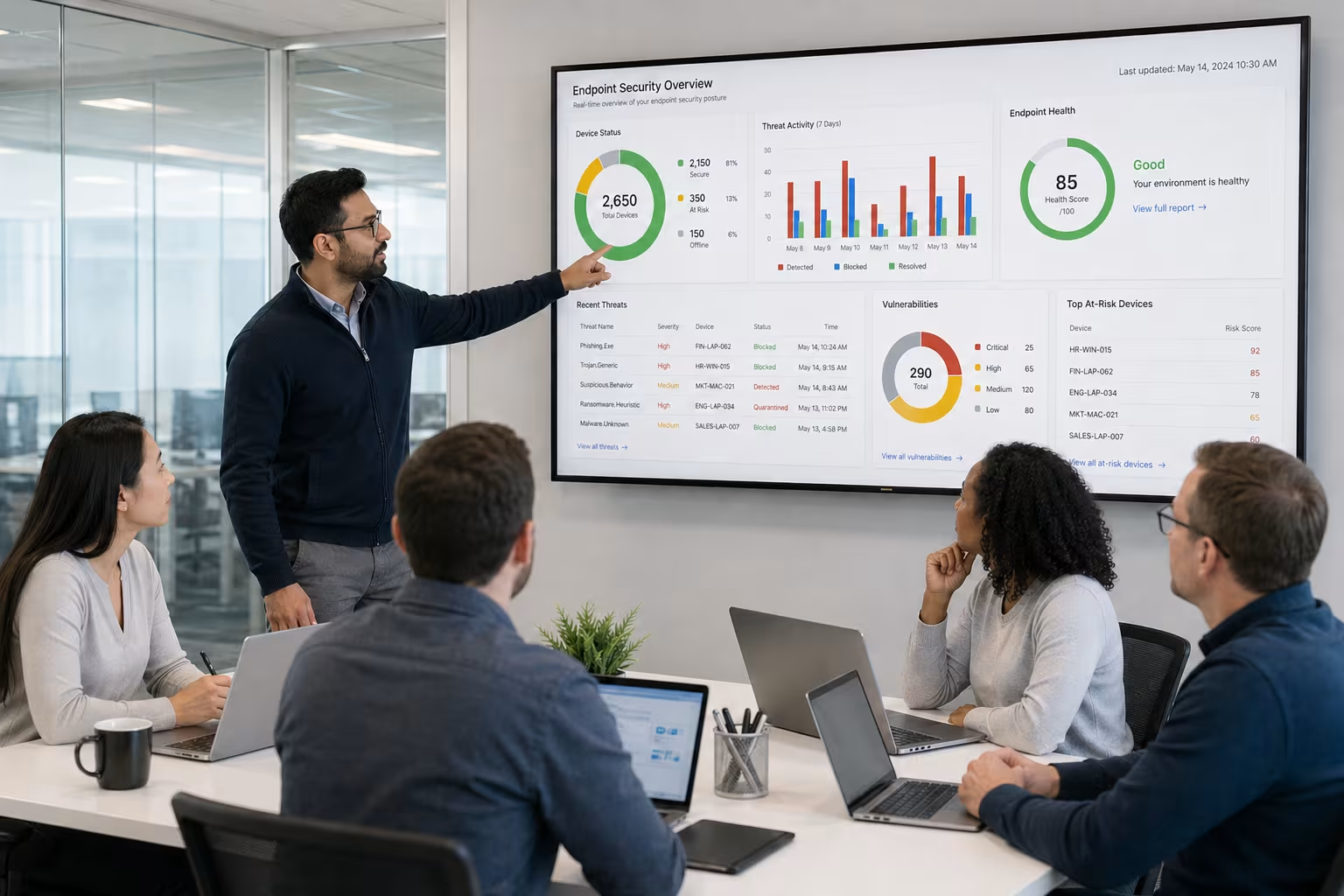
IT team collaborating on endpoint security
How RTC Managed Services can help with endpoint security
Are you a business with 40-80 employees looking for reliable endpoint security? Growing companies need protection that keeps up with new threats and changing technology. Our team understands the unique challenges you face as your business expands and your network becomes more complex.
We offer modern endpoint security solutions that combine backup protection, malware prevention techniques, and centralized management. If you want to improve your security posture and protect every device on your network, contact us today. Let RTC Managed Services help you build a safer, more resilient business.
Frequently asked questions
What is the difference between endpoint security and traditional antivirus?
Endpoint security protects all types of endpoint devices, like laptops and mobile devices, while traditional antivirus software mainly focuses on scanning for known viruses. Endpoint security solutions also include features like backup protection and malware prevention techniques, which help you recover from attacks and stop new threats.
By using a modern endpoint security solution, your security team can monitor devices, enforce policies, and respond to threats faster. This approach is more effective for businesses with many endpoints and sensitive data to protect.
How does an endpoint protection platform help with network security?
An endpoint protection platform brings together antivirus software, firewall controls, and advanced monitoring into one system. This helps you manage all your endpoints and keep your corporate network safe from malicious attacks.
With centralized management, you can update security policies across all devices at once. This reduces the risk of gaps and ensures your network security stays strong as your business grows.
Why is backup protection important for endpoint security?
Backup protection is essential because even the best endpoint security software can’t stop every threat. If a device is compromised, having backups lets you restore sensitive data quickly and avoid major disruptions.
Regular backups also help you recover from ransomware or accidental data loss. This makes backup protection a critical part of any endpoint security plan.
What are the main components of endpoint security for growing businesses?
The main components include next-generation antivirus, endpoint detection and response, backup protection, and a centralized management console. Each part works together to protect your devices and sensitive data.
By combining these tools, you can respond to threats quickly and maintain a strong security posture. This is especially important for businesses with multiple endpoints and a growing workforce.
How can I ensure my mobile devices are protected?
To protect mobile devices, use endpoint solutions that include mobile device management and security features. This lets you enforce security policies, monitor for threats, and wipe data if a device is lost or stolen.
Mobile devices often access sensitive data and connect to your corporate network, so it’s important to include them in your endpoint security strategy. Regular updates and staff training also help reduce risks.
What should I look for in advanced endpoint protection?
Look for advanced endpoint protection that offers automated threat detection, centralized management, and support for all types of endpoint devices. Features like next-generation antivirus and real-time monitoring are also important.
Choosing a solution with strong backup protection and malware prevention techniques helps you recover from attacks and keep your business running smoothly. Make sure your security team can easily manage and update the system as your needs change.
Founded in 2007 by Jeremy Kopp, RTC Managed Services is built on the belief that every business deserves high-quality, reliable IT support without the complexity and unpredictability of traditional models.

.jpeg)



.svg)
.svg)
